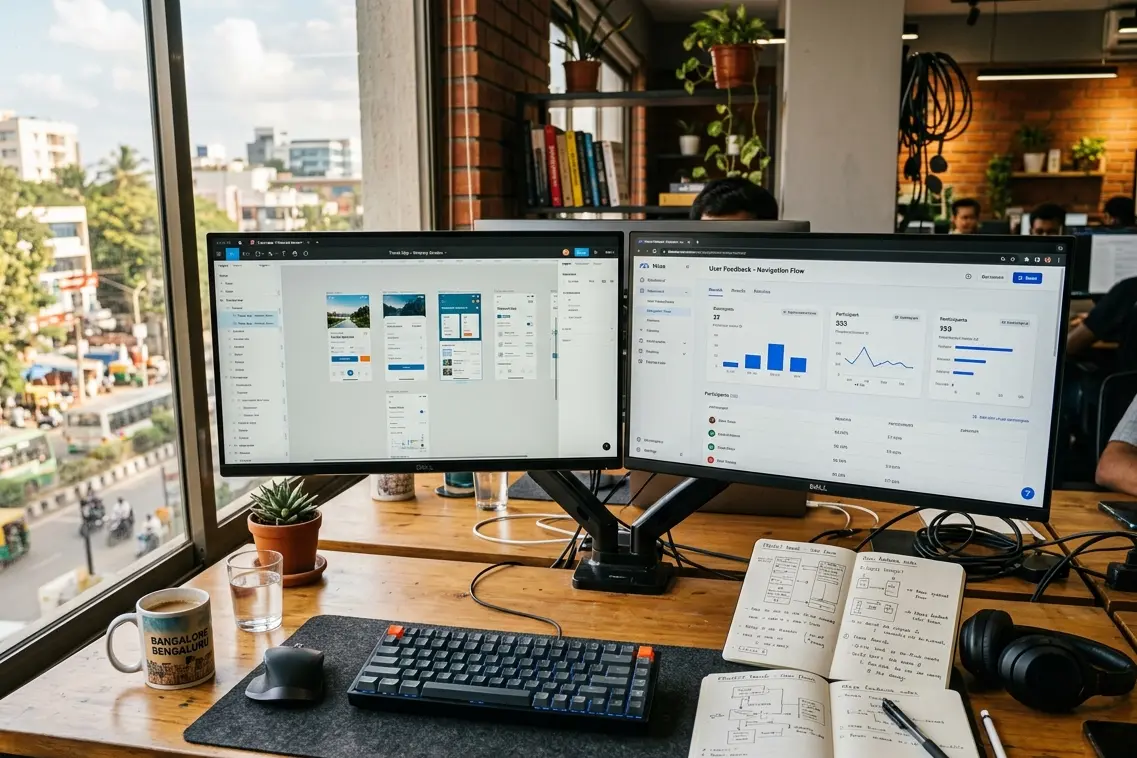
By the Resource Geeks Networks Design Team, Bangalore. We have shipped UI UX work for Indian startups, D2C brands, healthcare platforms, and enterprise SaaS products since before “design thinking” became a LinkedIn buzzword.
Let us be honest about something.
Most tools guides are written by people who have not opened Figma on a client project in two years. They list the same seven tools, describe what each one does, and call it a comparison. You leave the page knowing the same things you already knew, just in a different order.
This is not that guide.
Every tool in this list is something we open daily at Resource Geeks Networks. Some we recommend without hesitation. One or two we use with caveats. And one we will tell you to stop wasting time on entirely.
The UI UX design tools you pick do not just affect speed. They affect the decisions you make. A client came to us eighteen months ago after six months of designing in Adobe XD. Their dev team was working from exported PNGs. No tokens. No specs. No handoff logic. The tool did not cause the problem. But it had made the problem invisible until it was expensive.
That is the kind of thing this guide exists to prevent.
Learn how tools fit into the bigger UI UX design picture before you commit to a stack.
The Shift That Changed Everything in 2026
A few years ago, the tool’s conversation was simple. Pick Figma, learn it well, done.
2026 is different. What once took designers three to four hours to wireframe now happens in minutes. AI tools are not replacing designers. They are eliminating the grunt work that kept talented professionals stuck pushing pixels instead of solving actual user problems.
We have added two AI tools to our early-stage work. UX Pilot flags layout and hierarchy problems before we run a single user test. Figma Make gives us a first-draft layout in front of the client in forty minutes. We do not use either to design. We use them to get to the thinking part faster.
The UXness 2024 Annual UX Tools Survey found that 71% of UX professionals expect AI and machine learning to transform design workflows. In our experience working with Indian startups and growing businesses, the pressure to move faster at lower cost is real. AI tools are currently the only honest answer to that pressure.
But they require someone who knows what good looks like. A tool that generates fast still needs a designer who can tell the difference between a layout that works and one that merely looks like it should.
Wireframing Tools: Structure Before Style
A wireframe is not a rough sketch you throw away. It is the cheapest place in the entire project to catch a structural mistake.
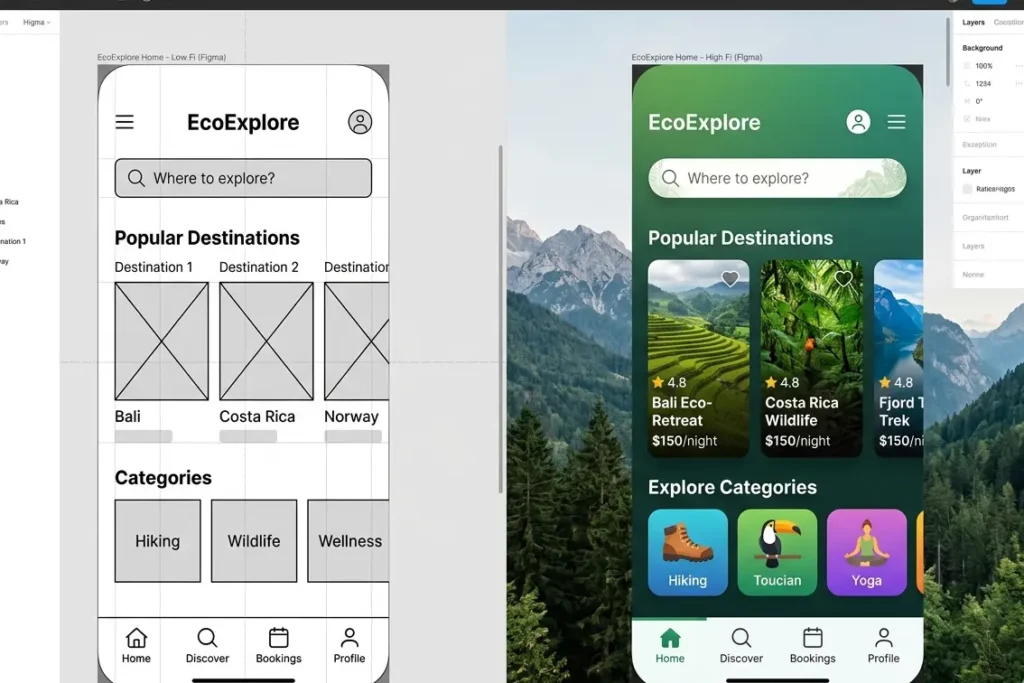
We work in Figma at both fidelity levels, low first to settle layout logic, then high to bring in real content and hierarchy. The prototype lives in the same file. No migration, no sync issues, no “which version is this” conversations at three in the afternoon.
Whimsical comes out at the very start of a project for user flow mapping. It is faster for rough diagrams and easier for non-designers to read in a client review.
Balsamiq gets used occasionally when a client needs stakeholder sign-off on structure before we move forward. The deliberately lo-fi look stops stakeholders commenting on button colours when they should be approving navigation logic.
Prototyping Tools: When Screens Start Behaving Like Products
This is the phase where the client stops squinting at static screens and actually feels the product.
A well-executed UI can boost conversion rates by 200%, while a superior UX can increase conversions by up to 400%. Those numbers come from products that were prototyped, tested, and refined before a single line of code was written. They do not come from products that skipped straight to development and then wondered why drop-off was high.
See exactly how we use these tools across each design phase if you want the full breakdown of where prototyping sits in a real agency process.
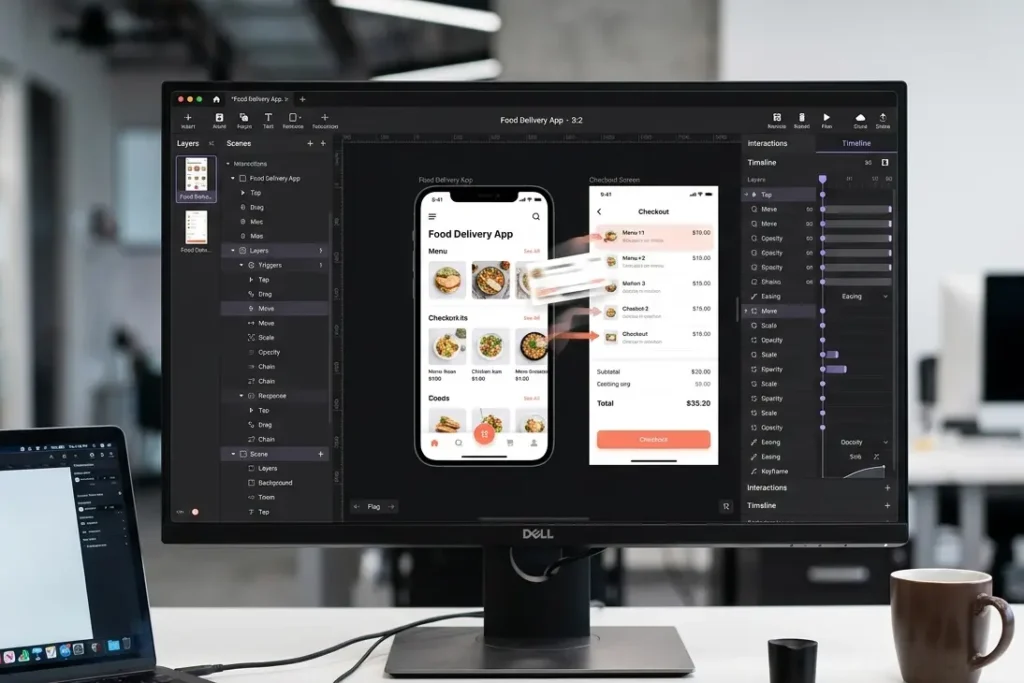
Figma handles most of our prototype work. Clickable flows, transitions, hover states, conditional logic. For most Indian B2B and D2C products it is everything you need from MVP to launch.
ProtoPie is a specialist. We reach for it when a project needs complex animations, sensor interactions, or a prototype that has to feel physically indistinguishable from the finished product, usually for investor demos or enterprise product reviews. It is not a daily tool. But when the situation calls for it, nothing else comes close.
Framer earns its place on projects where design and live publishing need to happen in the same environment, primarily landing pages and marketing sites. As a pure prototyping tool it has limits. As a no-code publisher for designers it is genuinely useful.
What Are the Best Free UI UX Design Tools for Beginners?
Figma’s free tier. Full stop.
Three active files, unlimited personal drafts, basic prototyping, real-time commenting. For anyone in India just getting started, that is 80% of what you need to build a portfolio and develop professional-level skills.
Pair it with Whimsical’s free plan for flow diagrams and you have a complete beginner stack that costs nothing. When you are ready to test your designs with real users, Maze’s free plan handles basic prototype testing.
Spend the money on learning before you spend it on tools. The tools are not the bottleneck when you are starting out.
Research and Testing Tools: The Budget Everyone Cuts First
We have had this conversation more times than we can count. The client is excited to design. Clients are less excited to pay for user research. We explain that every rupee invested in UX design returns up to Rs. 9,900 in ROI. Sometimes that lands. Sometimes we just do the research anyway and show them the results.
A Rs. 20,000 usability test that catches a broken checkout flow before launch is one of the cheapest decisions a product team can make.
Maze gives us structured usability data from ten to fifteen real users within 48 hours. Task completion rates, click paths, where people give up. For Indian products especially, this data cannot be borrowed from Western benchmarks. The behavior is different. The hesitation points are different.
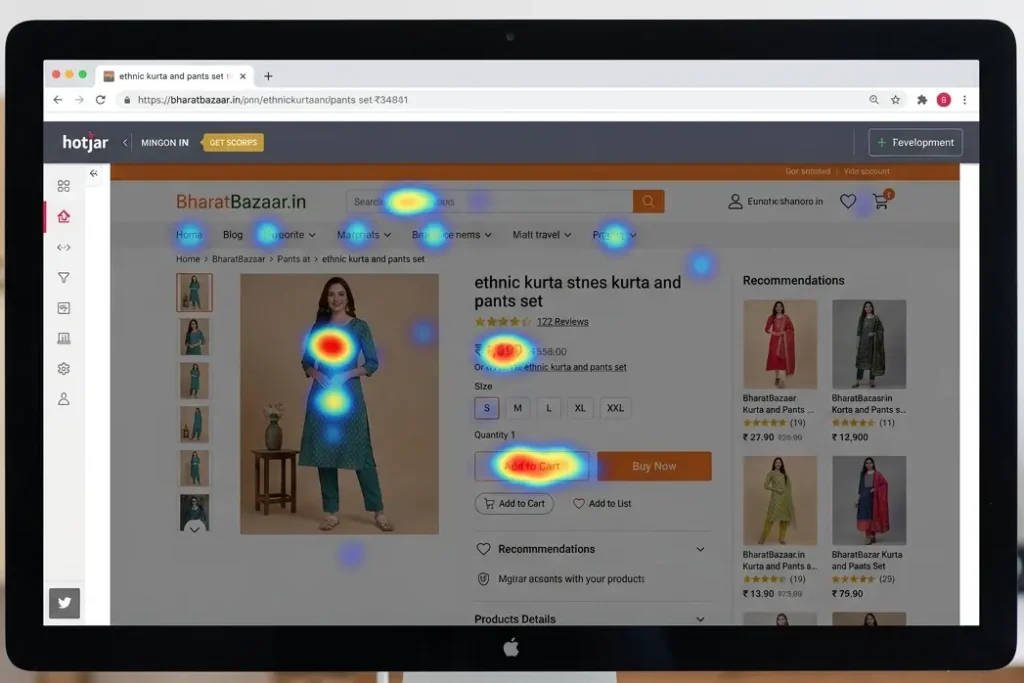
Hotjar goes on the live product. Heatmaps, session recordings, funnel drop-off. It answers what Maze cannot: what is actually happening with real users after launch.
Handoff and Design System Tools: Where Good Work Gets Lost
Most Indian product teams lose two to four weeks per sprint at the handoff stage. Not because the design was bad. Because the communication between design and development was bad.
Figma Dev Mode is our default. Developers get CSS values, design tokens, asset exports, and component documentation from the same file the designer is working in. Design and specs cannot fall out of sync because they are the same thing.
Zeplin stays in our toolkit for legacy client projects where it is already embedded. We do not push against a working system mid-project. But for anything new, Figma Dev Mode is the answer.
Design systems come into the picture once a product is past MVP and the team is growing. If three or more designers are touching the product, or if it needs to scale across platforms, a system pays for itself inside six months. We build them in Figma for the component layer, Storybook for the developer-side library, and Supernova for enterprise documentation.
Find out which tools to showcase in your UI UX portfolio if you are building toward agency or product team roles.
Figma vs Adobe XD: Let’s Just Close This Debate
Figma.
Adobe XD was a capable tool. Many designers, ourselves included, spent time in it. As of 2026, Adobe XD is no longer available as a standalone product. It requires a full Creative Cloud subscription and is in maintenance mode, meaning no significant updates are being made.
Adobe has moved on. The market has moved on. The talent pool is overwhelmingly Figma-trained. Choosing XD for a new project in 2026 is not a design decision. It is a liability.
The Exact Stack We Use at Resource Geeks Networks
No vague recommendations. This is what we actually open on client projects.
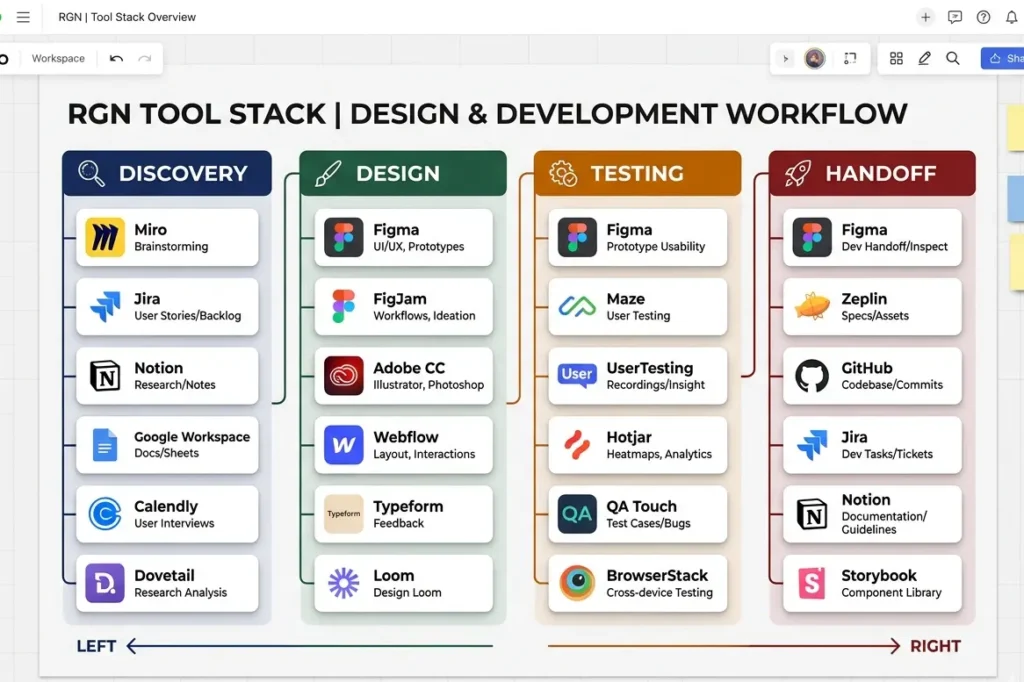
Discovery and early flows: Whimsical, Google Forms, User Interviews. Wireframing and UI: Figma across both fidelity levels. Prototyping: Figma for standard work, ProtoPie for complex interactions, Framer for live marketing sites. Research and testing: Maze for prototype testing, Hotjar for live product analytics. AI-assisted stages: UX Pilot for early heatmaps, Figma Make for rapid first-draft layouts. Handoff: Figma Dev Mode by default, Zeplin where it is already in place. Design systems: Figma, Storybook, Supernova for enterprise scale.
This stack runs on projects from Rs. 5 lakh websites to Rs. 50 lakh product builds. The tools are the same. The depth changes.
How to Pick the Right Tools for Your Budget
Under Rs. 1,500 a month: Figma free tier plus Whimsical free tier. Covers wireframing, basic prototyping, and user flows. Good enough to build a serious product and a serious portfolio.
Rs. 3,000 to Rs. 8,000 a month: Add Figma Professional and Hotjar’s entry plan. You now have real-time team collaboration and live product analytics. This is the stack that separates teams who are guessing from teams who are measuring.
Rs. 15,000 and above: Add ProtoPie, Storybook, and Supernova when the project complexity justifies it. At this level the tool cost is irrelevant compared to what you save on development rework.
For tool adoption data across the industry, the UXness Annual UX Tools Survey is the most reliable independent benchmark available.

FAQs About UI UX Design Tools
What is the best tool for UI UX design?
Figma. According to the UXness 2024 Annual UX Tools Survey, Figma leads across wireframing, prototyping, UI design, design handoff, and digital whiteboarding. It is the closest thing the industry has to a single answer.
Which UI UX design tools do agencies use?
Most serious Indian agencies use Figma for design and handoff, Maze or Hotjar for research and testing, ProtoPie for complex prototyping when needed, and Storybook for product teams building at scale. The exact mix depends on project stage and budget.
Is Figma free for UI UX design?
Yes. The free plan includes three active files, unlimited drafts, basic prototyping, and commenting. It is enough to build a full portfolio. Paid plans start around Rs. 1,000 to Rs. 1,200 per editor per month billed annually.
This Is Just the Stack. The Thinking Is What Changes Outcomes.
The best UI UX design tools are the ones your team actually uses well, not the most popular ones from a listicle written six months ago.
We have watched startups waste entire sprints migrating tools mid-project. We have watched founders skip user testing because the subscription had lapsed. The tool was never the real problem.
At Resource Geeks Networks, the stack above works because every tool was chosen for a specific job, and because we audit that choice regularly against what the project actually needs.
If your product needs a team that knows how to use these tools to solve real business problems, not just deliver screens:
Start a project with Resource Geeks Networks
Author Byline
Resource Geeks Networks Design Team, Bangalore. A design and technology studio building websites, products, and digital systems for Indian businesses and international markets.