
Here’s something we wish someone had told us earlier in our career: the platform doesn’t matter as much as what you’re building, who’s maintaining it, and what it’s actually going to cost you by year two.
We say that upfront because most webflow vs wordpress comparisons spend three thousand words pretending there’s a clean winner. There isn’t. We’ve built over 300 websites for Indian businesses at Resource Geeks Networks, across D2C brands, startups, service companies, and enterprise clients. We’ve delivered projects on Webflow that clients couldn’t stop talking about, and we’ve built WordPress sites that still quietly rank number one for competitive keywords years later. We use both. We’ve seen both go wrong in very specific, expensive ways.
This guide is written from that place. Not from a feature chart. Not from a platform affiliate agreement. From the actual experience of building these things for Indian businesses with Indian budgets, Indian hosting infrastructure, and customers browsing on mobile networks in Tier 2 cities.
What is Webflow?
Webflow is a visual, no-code website builder. You design and publish a fully responsive website without writing code. Hosting, SSL, CDN, security updates, all of it is bundled into the platform. You don’t manage any piece of the infrastructure separately.
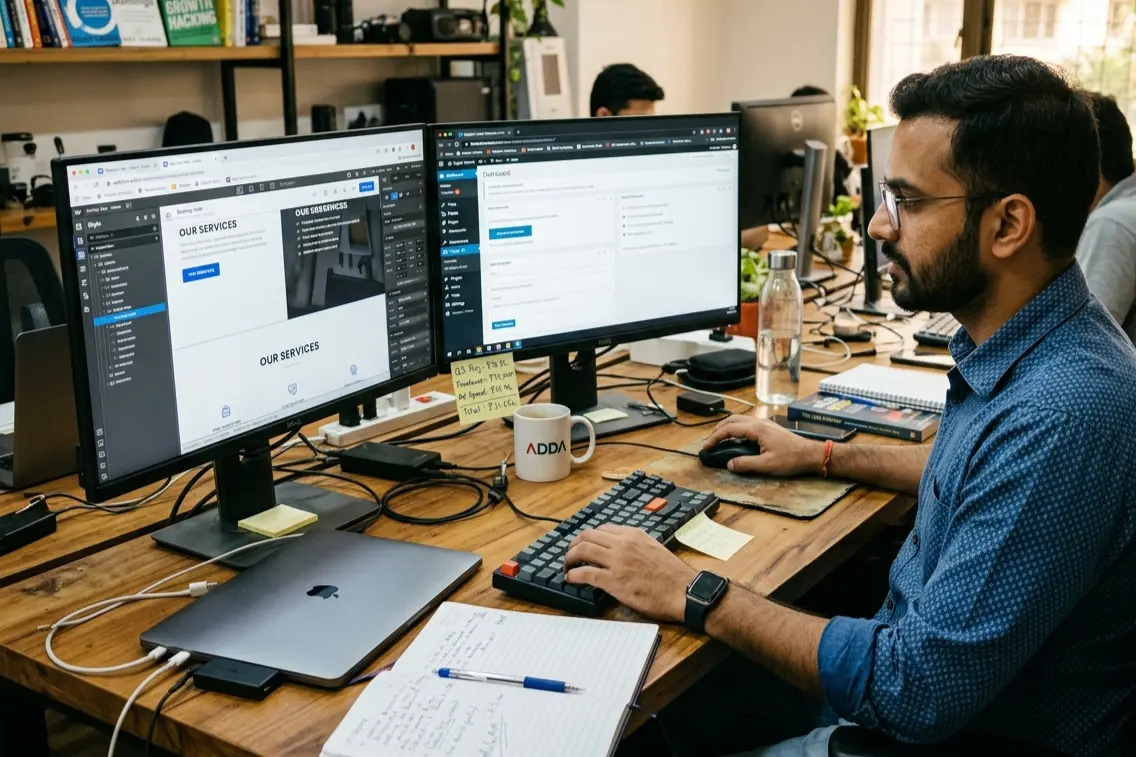
That sounds like a sales pitch. Here’s the practical version of why it matters. When we hand over a Webflow site to a client’s internal marketing team, they can update a banner, swap out a product image, and push a new section live without calling us. That happens on day one. On a WordPress site built with a custom theme, the same task often requires a developer the first three or four times until the team builds confidence. For a founder who’s also doing sales, operations, and customer service, that friction compounds quickly.
According to ColorWhistle’s Webflow Statistics 2026 report, Webflow now powers over 524,000 websites worldwide, with India ranking among the top countries for adoption alongside the United States and Brazil. That growth is coming from exactly the kind of businesses we work with: lean teams that want a professional output without building a technical department first.

What is WordPress?
WordPress powers more of the internet than most people realise. It holds a 61.3% CMS market share and accounts for 43.6% of all websites globally as of March 2026. That dominance did not happen by accident.
We want to say something that a lot of Webflow-focused agencies won’t: WordPress is genuinely excellent in the right situation. Some of the best-ranking content sites we’ve seen are on WordPress. The plugin ecosystem gives you capabilities that no other platform comes close to matching at scale. If you need a complex LMS, a job board, a multi-vendor marketplace, or a publication pushing three hundred posts a month, WordPress is still the answer in 2026.
The issue is not the platform. The issue is the gap between what founders expect WordPress to cost and what it actually costs once the business starts taking its website seriously. That gap catches people out more than almost anything else we deal with.
People Also Ask: Is WordPress still worth it in 2026?
Yes, for the right business. But “the right business” is more specific than most comparisons acknowledge, and we’ll get into that properly in the use cases section.
The Hidden Costs Nobody Writes About
A founder came to us a while back. They’d built their WordPress site themselves for roughly 15,000 rupees all in. A budget hosting plan, a premium theme, five plugins. Six months later they were spending 12,000 rupees a month on developer fixes, had been hacked once, and their homepage was loading in over six seconds on mobile. The total cost in year one landed somewhere near 90,000 rupees, not 15,000. They were not happy. Neither were we, honestly, because we were the ones cleaning it up.
That story is not unusual. We’ve had versions of it from clients who came to us from agencies, from DIY builds, from other developers. The root cause is almost always the same.
According to Patchstack’s State of WordPress Security report, there were 7,966 new WordPress security vulnerabilities in 2024, and 96% of them came from plugins rather than WordPress core itself. Most founders assume the risk lives in WordPress. It lives in the plugin layer, which is also the layer that every WordPress site depends on to function. You can’t strip it out. You just have to manage it.
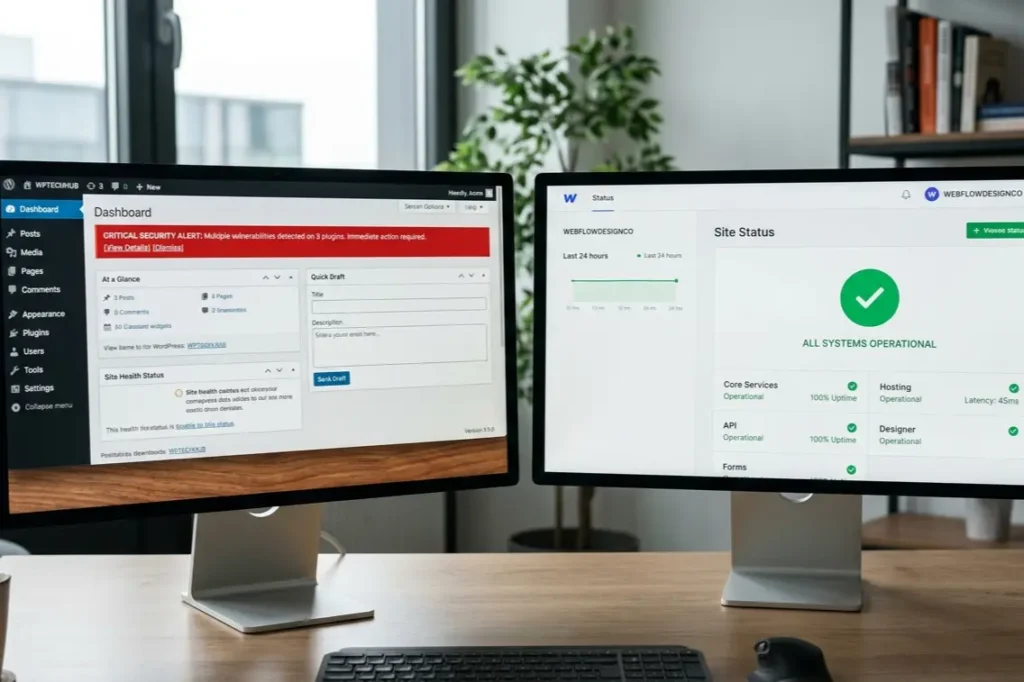
Webflow removes this problem category entirely. The platform manages its own security. You do not patch anything, audit anything, or wake up to a Google Search Console malware warning the morning before a campaign launches. We have seen that last scenario happen to a client. The emotional cost alone was significant, and the SEO recovery took months.
Webflow vs WordPress Pricing India 2026
Let’s be specific, because “it depends” is not useful when you’re trying to plan a budget.
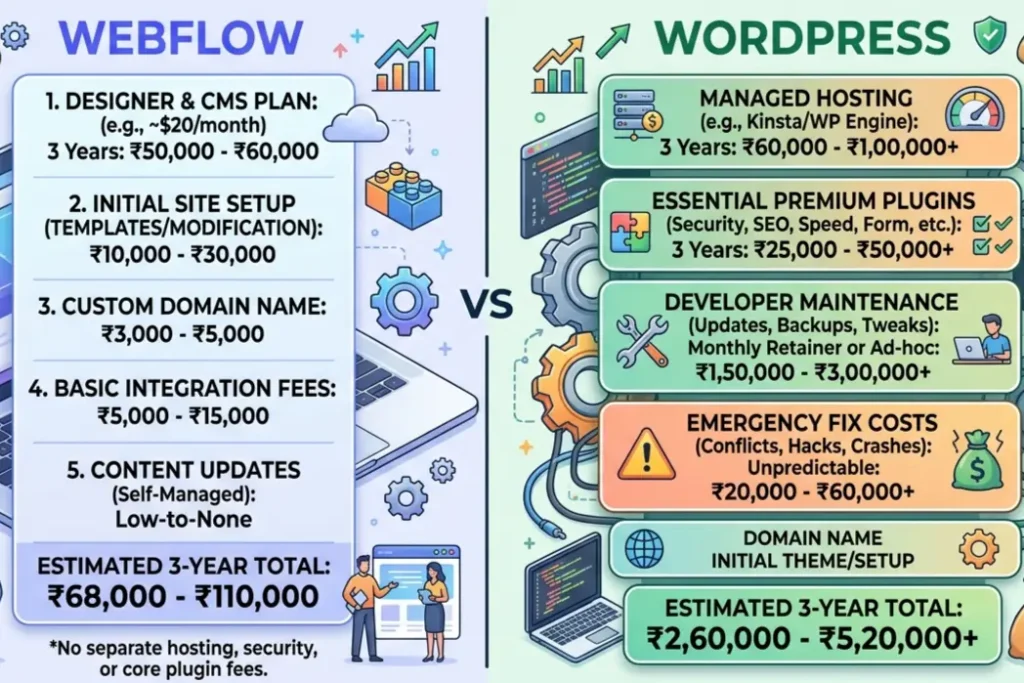
Webflow in 2026, converted to INR at current rates, runs between 1,200 and 1,500 rupees per month on the Basic plan. The Business plan sits at roughly 2,800 to 3,500 rupees per month. Hosting, SSL, CDN, and security are included. No hidden renewals. No plugins to budget for separately.
A properly maintained WordPress site for an Indian business that actually performs well looks like this in practice. Hosting between 3,000 and 15,000 rupees per year, depending on whether you’re on Hostinger, Bluehost, or a quality managed host like Kinsta. A premium theme at 8,000 to 20,000 rupees. SEO, security, backup, and caching plugins combined at 10,000 to 25,000 rupees per year. Developer maintenance if you don’t have someone in-house, and almost no small Indian business does initially, running 10,000 to 30,000 rupees per year at minimum.
People Also Ask: What is the real webflow vs wordpress cost comparison for 2026 in India?
Over two to three years, webflow vs wordpress pricing India tends to favour Webflow for businesses without a technical team. WordPress looks cheaper on day one. It frequently is not cheaper by month eighteen.
SEO: Which One Actually Ranks Better?
We have ranked pages on both platforms. The honest answer, from actual project experience, is that both can rank well but they ask different things of you.
People Also Ask: Which is better for SEO, Webflow or WordPress?
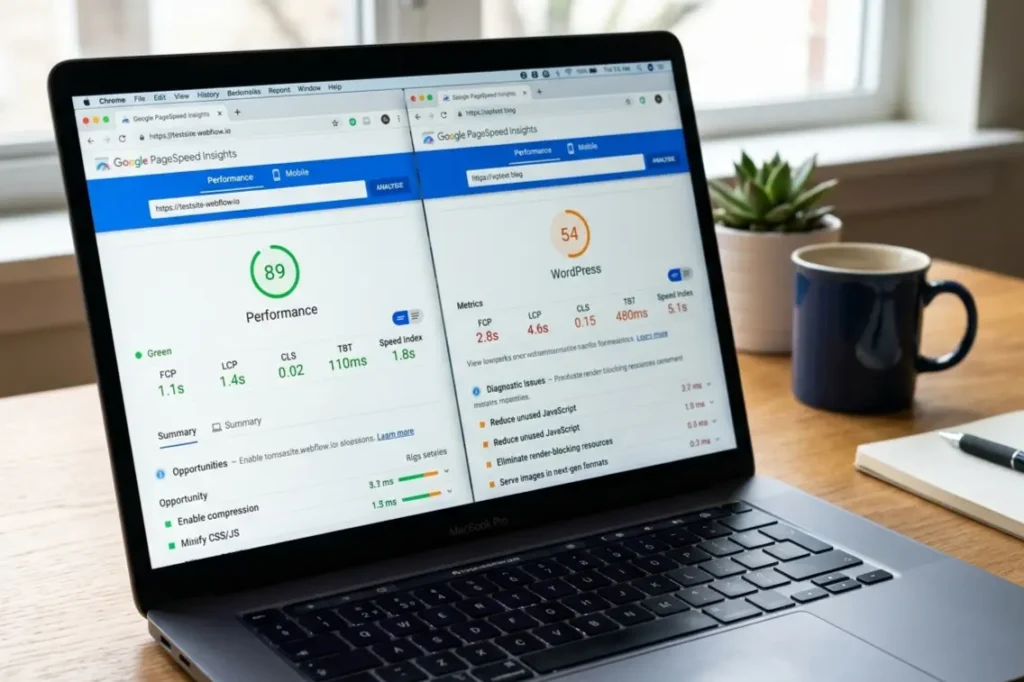
Webflow produces clean semantic code without any configuration. Meta tags, redirects, sitemaps, and structured data are built into the editor. You do not install anything. Webflow sites typically score between 85 and 95 on PageSpeed Insights without additional optimisation, because of its global CDN, clean HTML output, and built-in SSL. For an Indian startup without a dedicated SEO developer, this means fewer things can quietly go wrong in the background while you’re focused on the actual business.
WordPress with Yoast or Rank Math is genuinely powerful for content at scale. If you’re running a publication with hundreds of posts and you need granular schema control, WordPress has tools Webflow cannot currently match. We would not tell a serious content publisher to move to Webflow for webflow vs wordpress SEO reasons.
But here is the nuance. WordPress’s SEO advantage only appears when the hosting is fast, the theme is clean, and the plugins are managed carefully. A WordPress site on budget shared hosting with thirty-five active plugins can and does perform worse in real tests than a Webflow site nobody has touched since launch. The theoretical advantage and the real-world outcome are not always the same thing, particularly for smaller Indian businesses that can’t afford quality managed infrastructure.
Performance on Indian Mobile Networks
Almost nothing in the standard comparison article covers this. It might be the most consequential section for Indian businesses specifically.
Mobile internet speeds in India vary dramatically by city and by network. The experience of loading a page on a 4G connection in South Bangalore is genuinely different from loading the same page in a smaller city on the same network. Research shows that a 1-second delay in page load time reduces conversions by 7%, and a 0.1-second improvement increases retail conversions by 8.4%. For a D2C brand with a narrow margin and high customer acquisition cost, that maths is worth sitting with.
Webflow runs on AWS and Cloudflare with edge caching including Indian CDN nodes. We’ve tested client sites and the results in Tier 2 cities are consistently stronger on Webflow than on WordPress builds hosted on budget Indian servers. It’s not even close in some comparisons.
WordPress can match this performance. But only on quality managed hosting, which starts at around 1,200 to 2,500 rupees per month just for the server, before plugins and themes. Most Indian businesses starting out don’t make that choice. They pick the cheapest plan and discover the performance problem six months later when they’re trying to figure out why their conversion rate is low.
Security and Maintenance: What We Have Seen
We’ve had clients come to us with actually hacked WordPress sites. Not hypothetically. Actually defaced pages. Customer data at risk. Google showed malware warnings in search results the week before a sale the founder had been planning for two months.
The remediation cost of a single WordPress security incident that damages SEO authority and triggers Search Console warnings can exceed years of Webflow subscription fees. We have seen that exact scenario play out. It is one of the least enjoyable conversations to have with a client who felt like the hard part of launching was behind them.
Webflow removes this whole category of problem. No plugin ecosystem to audit. No patch cycle to manage. No CVE feed to monitor. For a founder running a lean team, that is a real operational advantage that never appears in a comparison table because it’s about what doesn’t happen.
Design and Customisation
We will be direct. If you want the website to actually look like the brand rather than approximately like it within the constraints of a theme someone else designed for a global market, Webflow is the honest answer.
We’ve built premium D2C websites on Webflow where the founder looked at the final result and said it felt like an extension of the product, not a website with the logo dropped in. That level of precision is genuinely hard to achieve on WordPress without custom development that costs as much as a Webflow project anyway.
WordPress with a skilled developer can absolutely match Webflow’s output. But you pay for that skill on every single change. On Webflow, the brand team makes those changes themselves, and they’re not afraid to touch it.
For businesses exploring website development in India where visual brand equity is a competitive advantage, this is a meaningful practical difference, not just a preference.
When Should You Actually Migrate?
People Also Ask: Should I migrate my WordPress site to Webflow?
Migrate if recurring plugin security issues keep coming back despite updates. Migrate if mobile load times are slow after multiple attempts to fix them. Migrate if you’re paying for developer calls every month just to make content updates your team should be doing themselves.
Do not migrate because it’s the modern thing to do. Migration done without proper 301 redirects and preserved URL structures can damage rankings for months. We’ve fixed botched migrations and the recovery process is painful and slow. If you’re considering it, have a proper conversation with someone who’s done it carefully, not just someone who can technically do it.
Best Use Cases for Indian Businesses
Choose Webflow if you’re a D2C brand where design quality is a competitive differentiator. Choose it if you need to launch fast and look credible from week one. Choose it if your team needs to update the site without calling an agency every time. Choose it if you want one monthly cost and zero security overhead.
Choose WordPress if you’re building a content publication at scale. Choose it if you need marketplace, LMS, or complex backend functionality. Choose it if you have an in-house developer or a reliable agency retainer and you’re comfortable with the ongoing maintenance commitment that comes with the platform.
For businesses also working on UI UX design alongside the website, the platform choice shapes what’s possible at the design stage. That conversation is worth having before a single wireframe is drawn.

Final Verdict
Webflow vs WordPress does not have a universal winner. But after 300 projects, we have a clear view of who should choose what.
For most Indian startups, D2C brands, and service businesses launching or relaunching in 2026: Webflow is probably the better call. Lower maintenance, more predictable costs, stronger performance on Indian mobile networks, and a higher design ceiling without custom development bills.
For large content publishers, businesses with complex backend requirements, or teams that already have technical infrastructure in place: WordPress still earns its market share and its reputation.
Is Webflow better than WordPress for small businesses in India? For most founders running lean teams who don’t want to manage a technical platform on top of everything else: yes, generally. The difference in day-to-day operational burden is real and it compounds over time.
At Resource Geeks Networks, we build on both and we will tell you honestly which one makes sense for your business after we understand what you’re actually building.
FAQs
1. Is Webflow better than WordPress for SEO in India?
Both can rank. Webflow gives you a stronger technical baseline without additional setup, which means fewer things quietly going wrong. For Indian businesses without a dedicated technical SEO person, that matters more in practice than the depth of WordPress’s plugin ecosystem.
2. What is the real webflow vs wordpress cost comparison for 2026 in India?
Webflow costs 1,200 to 3,500 rupees per month with everything included. A properly maintained WordPress setup typically runs 40,000 to 80,000 rupees per year once hosting, plugins, themes, and developer time are genuinely counted. Over two to three years, Webflow is frequently the cheaper option despite appearing more expensive on day one.
3. Which is the best CMS for business website India in 2026?
For most Indian startups and D2C brands, Webflow. For content publishers or businesses with in-house technical teams, WordPress. The honest answer depends on your team’s actual capacity, not on which platform has more features listed on its homepage.
4. How does Webflow perform on mobile in Indian Tier 2 and Tier 3 cities?
Consistently well, because it runs on AWS and Cloudflare edge infrastructure with Indian CDN nodes. For brands selling to buyers in cities like Coimbatore, Indore, or Nagpur, this is a real practical advantage over WordPress sites hosted on budget shared servers.
5. Can I switch from WordPress to Webflow without losing my Google rankings?
Yes, with proper 301 redirects, preserved URL structures, and clean metadata transfer. Done without that groundwork, a migration can set rankings back by months. It is not something to rush, and it’s not something to hand to someone who hasn’t done it carefully before.
Ready to Build the Right Website for Your Business?
We’re not going to tell you which platform to choose before we’ve heard about your business. That would be the same generic advice you’ve already read ten times today.
What we will do is have an honest conversation about what you’re building, what your team can realistically manage, and what the numbers actually look like for your situation. After that conversation, we can tell you exactly what we would do if it were our business.
Talk to our team and get a personalised recommendation
No obligation. No sales pitch. Just a straight answer from people who build these things for Indian businesses every single day.